• วิธีการรับฟัง SMF Rock Station และการแก้ปัญหา •
+ จำเป็นต้องมีโปรแกรม Adobe Flash Player 11 ทำการดาวน์โหลดแล้วติดตั้งให้เรียบร้อย
+ ในการเข้ามาครั้งแรก อาจจะใช้เวลาในการโหลดประมาณ 1 นาที
+ กรณีฟังแล้วค้างให้ปิด Browser แล้วเข้าใหม่อีกครั้ง หรือ กด CTRL + F5
+ Browser ที่แสดงผลได้ดีที่สุดคือ FireFox และ Chrome


  หรือรับฟังโดยตรงจากโปรแกรม Player ในเครื่องของท่าน [ กดที่ไอคอนเพื่อฟัง ]

Listen With Real Player

• สามารถนำลิ้งค์ไปเปิดจากโปรแกรมฟังเพลงทุกโปรแกรมแบบ manual ตามบิทเรทที่ต้องการ
Bitrate 64KB http://smfrockstation.com:8000/srs1;stream.nsv
Bitrate 128KB http://smfrockstation.com:8000/srs2;stream.nsv
Bitrate 320KB http://smfrockstation.com:8000/srs3;stream.nsv


* การรับฟังผ่านสมาร์ทโฟน *


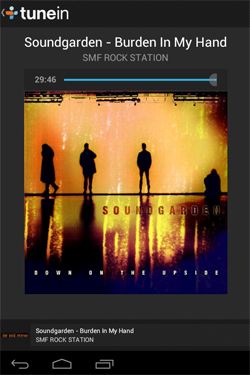
ติดตั้งโปรแกรม "Tunein"
จาก AppStore
สำหรับ I-Phone
และจาก PlayStore
สำหรับ Android
จากนั้นค้นหาสถานี
SMF Rock Station
เพียงเท่านี้ก็สามารถรับฟัง
SRS จากทุกที่ ทุกเวลา
ตลอด 24 ชม.

 
Click to Listen With Mobile Version Mobile Version รองรับโทรศัพท์ทุกระบบ
สามารถแสดงผลรวดเร็วยิ่งขึ้น โดยยังคงเมน
และฟังก์ชั่นต่างๆ ครบครันหมือนหน้า
Web Version ทุกประการ
Listen With Real Player Listen With QuickTime Listen With Windows Media Player Listen With VLC Listen With WinAmp

 [ CLOSE ]

Listen With Real Player Listen With QuickTime Listen With Windows Media Player Listen With VLC Listen With WinAmp